Yes. A pop-up or message that says your computer is infected and tells you to call a number is a scam, every time. The FTC puts it plainly: "Real security pop-up warnings and messages will never ask you to call a phone number" (FTC). Don't call. Close the browser, or restart the computer if it won't close.
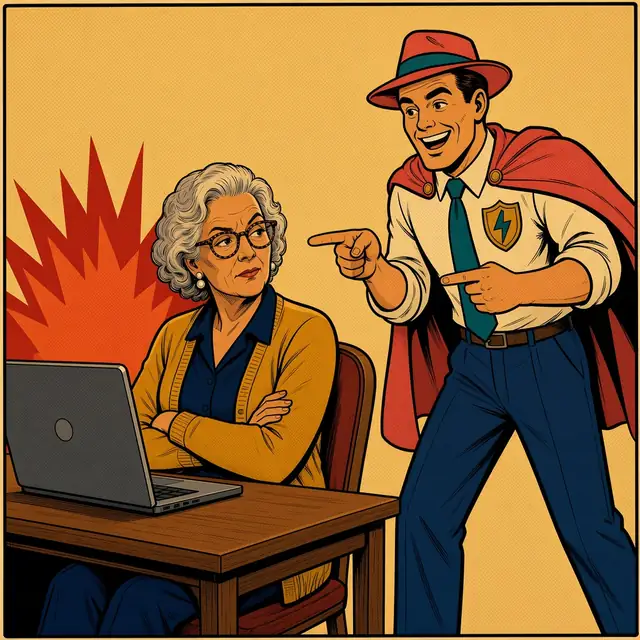
Case #3 The Case of the Shrieking Laptop
BEEP!
Saturday, 2:05 PM. The laptop throws a hissy fit.
⚠ VIRUS DETECTED! Your computer is LOCKED. Call Vexagard Support now: (202) 555-0142
WHOOSH!
Mom: A pop-up with a phone number? That's not tech support. That's a pop-CON.
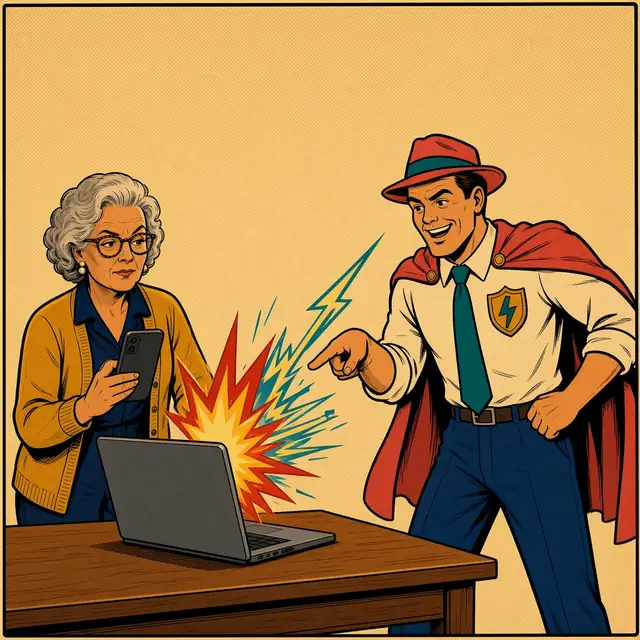
ZAP!
Mom: Say cheese, you @#$% virus. This photo goes to Twinge, not your hotline.
Twinge: Scam! Fake pop-up. Close the browser or restart. Ctrl-Alt-DEFEAT!
Soccer sideline, 2:20 PM.
Text from TwingeScam check Good news: your mom checked a fake ‘virus’ pop-up with us. Scam. She didn't call. Laptop's fine.
Her daughter: Mom rebooted a scammer. I can't even reboot the Wi-Fi.
Invented examples. These aren't real companies or numbers.
⚠️ SECURITY ALERT: YOUR COMPUTER HAS BEEN LOCKED. Trojan spyware detected. Your banking information is at risk. DO NOT RESTART. Call Certified Support now: 1-800-000-0000
(email) "Your device protection plan renewed for $399.99. If you did not authorize this charge, call our refund desk within 24 hours."
📞 "Hi, this is the security department. We've detected hackers on your computer. I'll need you to install a quick tool so I can remove them."
Red flags
A phone number on a warning screen. Real warnings don't include one (FTC).
Sirens, flashing red, all caps, a countdown.
"Don't turn off your computer." They want you to stay on the page.
A request to install something or "share your screen."
They pass you along: first "tech support," then "your bank," then "the government." The FBI calls this the "Phantom Hacker" scam (FBI IC3, 2023).
Any request to move money "to keep it safe," or to pay with gift cards.
What to tell your parent
The scary screen is designed to be scary. Being startled isn't a mistake.
"If your computer ever starts yelling at you with a phone number on the screen, that's the scam. Real warnings never ask you to call. Just close it, or hold the power button. Then call me if it comes back. You can't break anything by turning it off."
Moral of the story: real warnings never ask you to call.
Checklist: do this now
Don't call the number on the screen.
Close the browser, or turn the computer off and on.
Never let a stranger into your computer.
Unsure? Call the company on a number you look up yourself.
If you don't know, now you KNOW... ⭐🌈
If they already called, gave access, or paid
Hang up. Disconnect the computer from the internet.
Gave remote access? Update the security software, run a scan and delete what it finds, then change passwords and turn on two-factor authentication (FTC, 2026).
Paid? Call the card company, bank, payment app or gift card issuer right away and ask them to reverse it (FTC, 2026).
Told to move money "to protect it"? Stop. Call your bank on the number on your card. The FTC's advice: "Don't move money to 'protect it'" (FTC, 2025).
In 2025, people 60+ filed 21,333 tech and customer support complaints with the FBI, reporting about $1.04 billion in losses. That was their second most-reported crime type (FBI IC3, 2025 Internet Crime Report: https://www.ic3.gov/annualreport/reports/2025_ic3report.pdf).
Across all ages, call-center fraud (tech support plus government impersonation) drew more than 80,000 complaints and over $2.9 billion in losses in 2025 (same report).
These scams target people who keep their stuff safe. Folks who care about security are exactly who a "security alert" is written for.
FAQ
But it had a real company's name on it. Scammers often pretend to be well-known tech companies, like a fake pop-up that looks like it's from Microsoft or Apple (FTC, 2025). The name on the screen proves nothing. "Legitimate tech companies won't contact you by phone, email, or text message to tell you there's a problem with your computer" (FTC).
The pop-up won't close. What now? Hold down the power button until the computer turns off, then turn it back on. If the page reopens, don't call. Close the browser and call someone you trust.
They said my bank account is compromised too. That's the second act of the same scam (FBI IC3, 2023). Hang up and call your bank on the number on your card.
Should I let them "fix" it since I already called? No. Never download software or give remote access to someone who contacted you (FBI IC3, 2023).
Felt a Twinge? Text before you tap.
Twinge is a scam second opinion we're building. Snap a photo of the screen, forward it, and get a plain-English answer about what you're looking at and what to do next. Twinge will never ask for passwords, codes, money, or access to your computer. It's in a small free pilot, and the number and email aren't live yet. Join the waitlist at asktwinge.com.
Felt a Twinge? Text before you tap. Twinge is in a small free pilot: you forward the text, our engine checks it, and a real person sends you a plain answer.
 twinge